Never miss a deadline again. Set smart reminders for yourself or your entire team, directly inside Microsoft Teams. No extra apps. No tab switching. Just timely nudges that keep everyone on track.
How teams use Reminds Pro
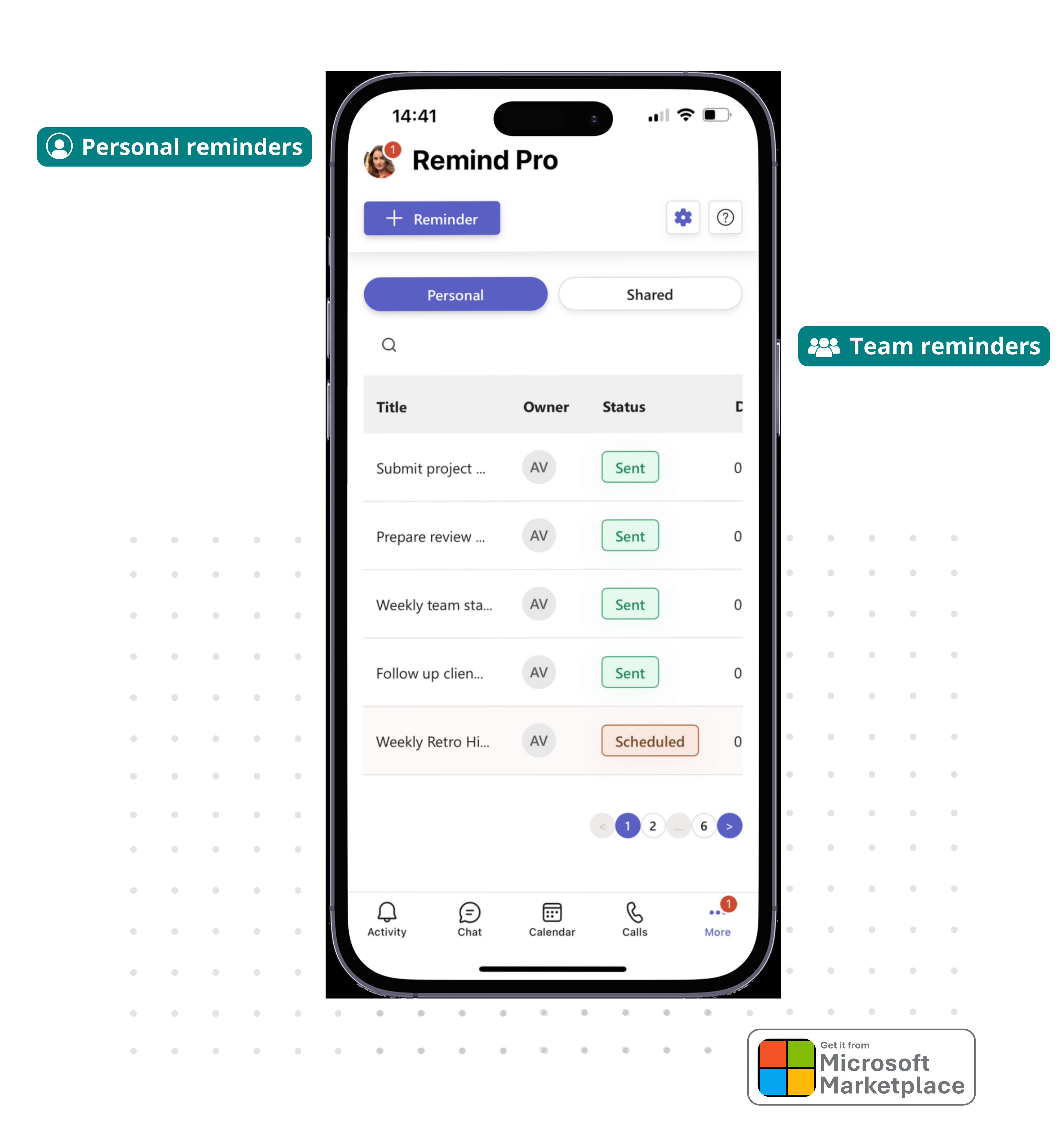
From daily stand-ups to quarterly deadlines, Reminds Pro keeps your team accountable, without ever leaving Microsoft Teams.
Set reminders for yourself and get notified at the right time, directly in Teams.
Remind your whole team or a specific channel. Everyone gets notified at once, no individual messages needed.
Set daily, weekly, or monthly reminders once and let them run. Perfect for recurring processes and rituals.
Track project milestones and deadlines with automated alerts so nothing slips through the cracks.
Everything in one place
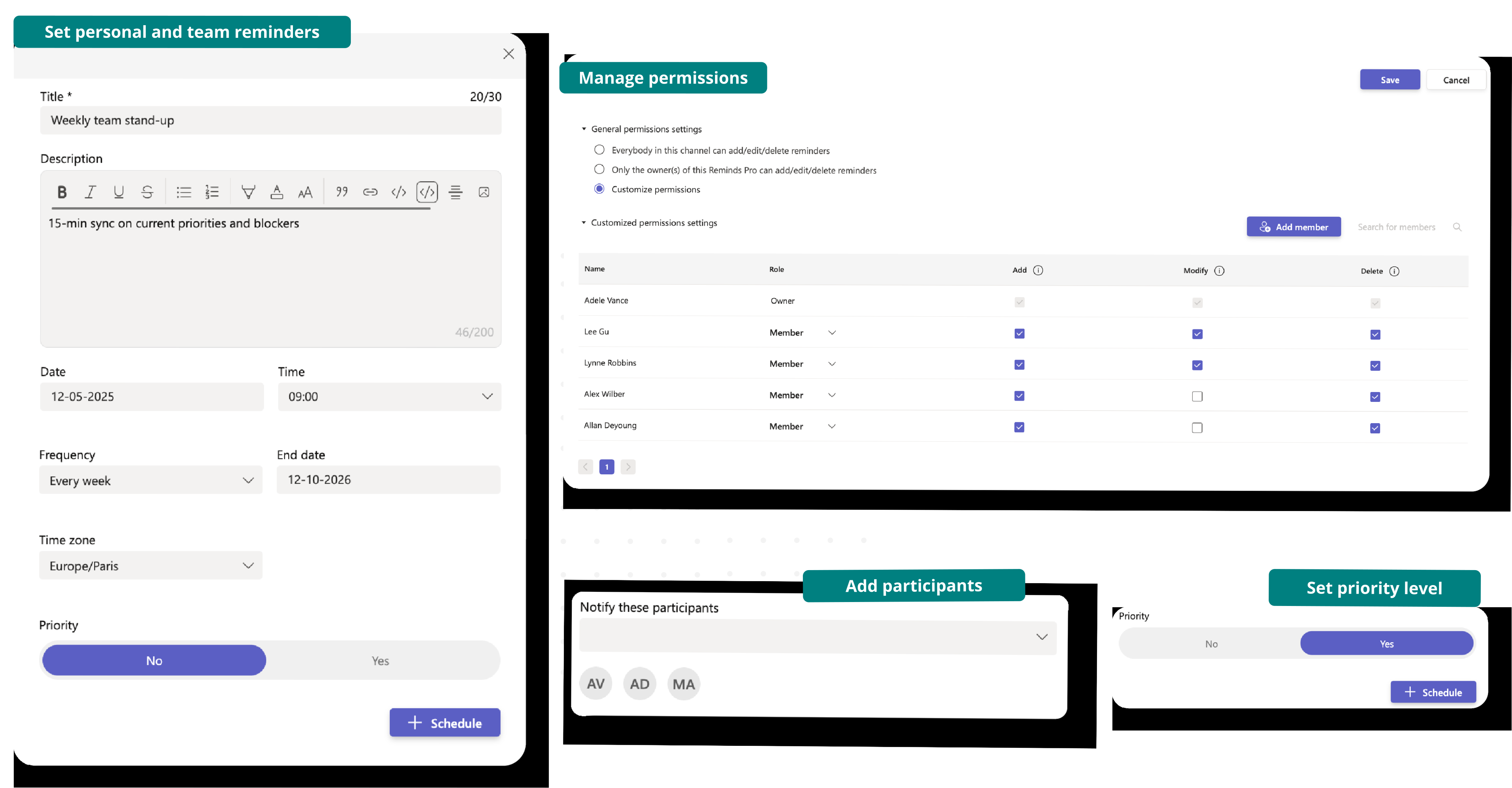
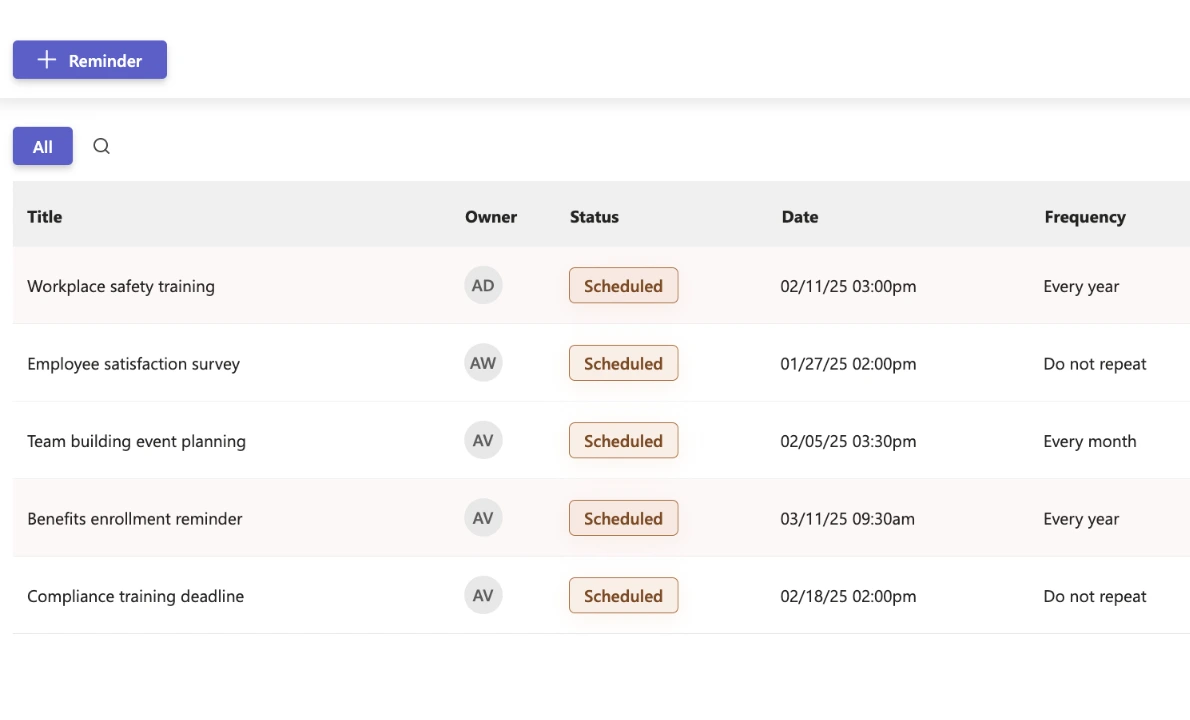
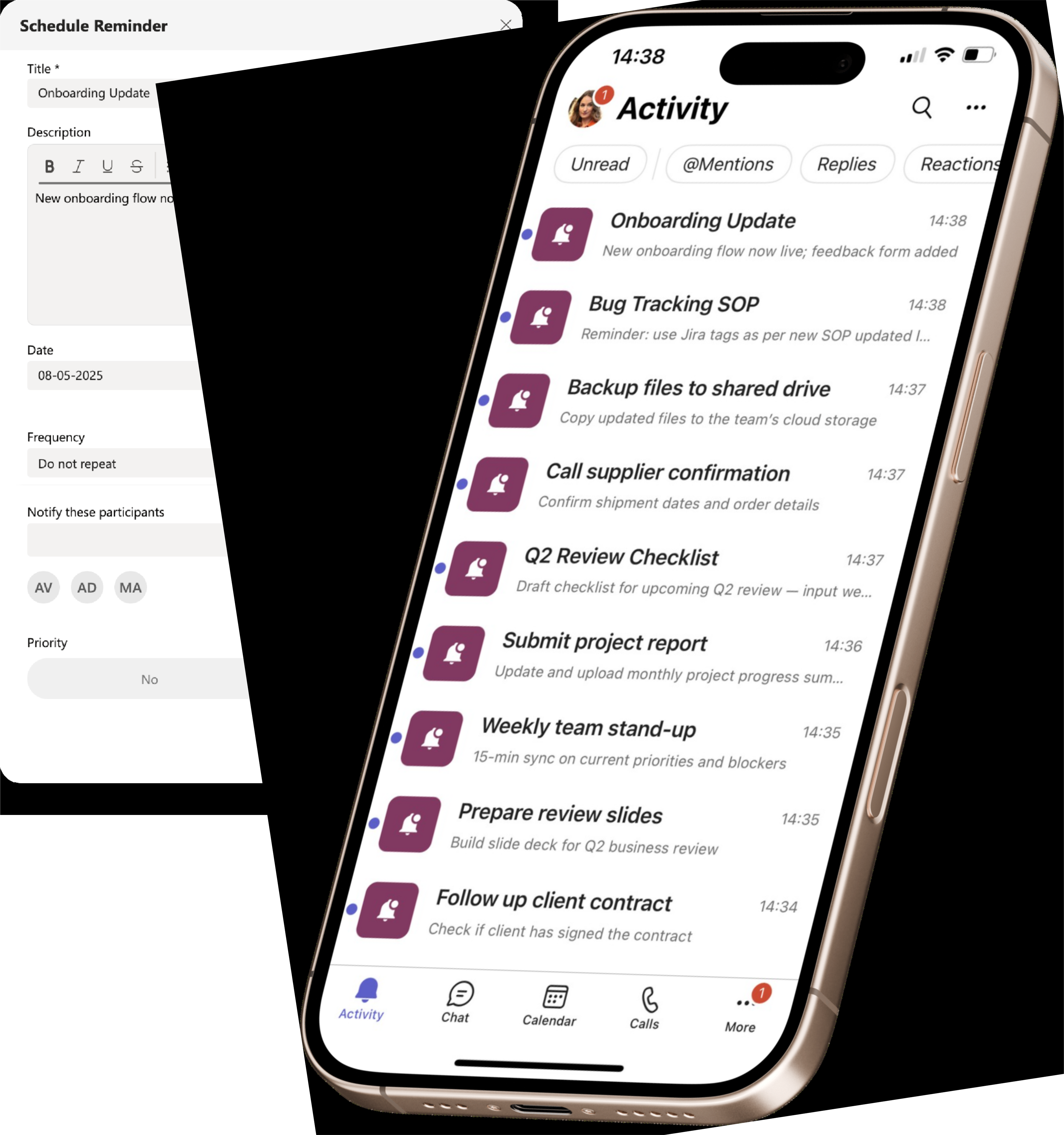
A clean, focused interface that puts every reminder option at your fingertips. Set personal or team reminders, add participants, manage permissions, and choose priority levels in seconds.
Fast & Simple

One Clean View
Native to Microsoft Teams
Hosted on Microsoft Azure. Your reminder data stays inside your Microsoft 365 tenant.
Enterprise-grade security on Microsoft Azure with ISO 27001 certification and 99.9% uptime.
EU-hosted infrastructure with full GDPR compliance. Your data stays in your region.
Microsoft Solutions Partner with deep integration into Microsoft 365 and Azure AD.
Use this simulator to calculate your team’s cost. When you’re ready, visit Microsoft Marketplace to complete your purchase.
Simulate your pricing
Teams Plan
PopularFor small teams working together in Teams channels, meetings, or group chats. Up to 100 licenses.
Personal Plan
For individuals who need full control of reminders, including use in shared tabs. 1 to 2 licenses.
Both plans include exactly the same features - the price simply adapts to your team size. Pick the Personal Plan for 1 or 2 people, or the Teams Plan for 2 to 100 users at a lower per-user rate. Every plan starts with a free first month.
Reminders | ||
Personal reminders | ||
One-time reminders | ||
Team & channel reminders |
(Unlimited) |
(Unlimited) |
Recurring reminders (daily, weekly, monthly) | ||
Collaboration & control | ||
Permissions management | ||
Multiple owners in shared tabs | ||
Data & compliance | ||
EU data residency (GDPR compliant) | ||
Free data backup & recovery | ||
Support | ||
Help Center access | ||
Support tickets and live chat |
FAQ