


Booking Room Pro makes shared spaces easy to manage. Meeting rooms, hot desks, labs and more. Book them all without emails, conflicts, or chaos. Just Teams.
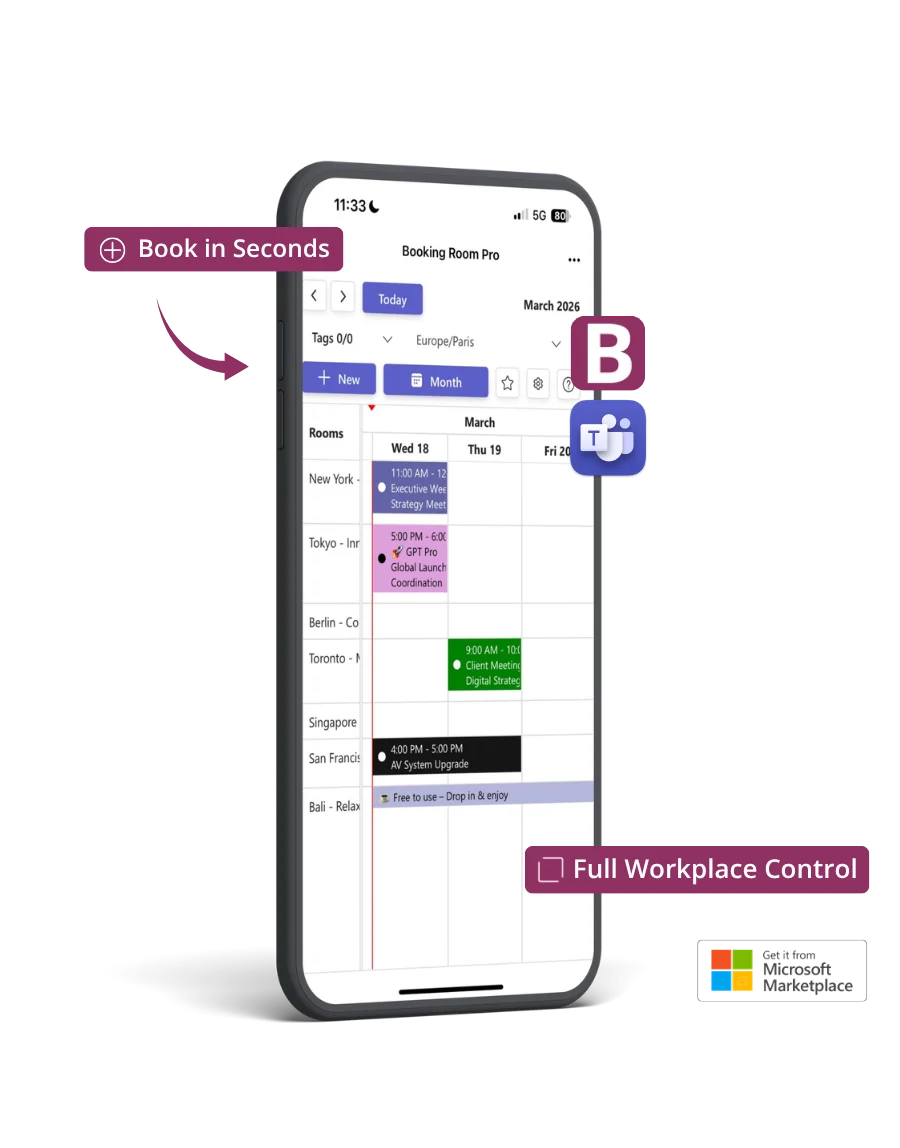
Why teams love Booking Room Pro
No more email threads or spreadsheet scavenger hunts. Booking Room Pro keeps your shared spaces easy to see, easy to book, right inside Microsoft Teams.
Check room and seat availability without switching tabs or leaving Teams.
Real-time updates keep everyone on the same page. No double-bookings. No mix-ups.
No complex setup, no learning curve. Just install and start managing up to 30 spaces in minutes.
Effortless reservations
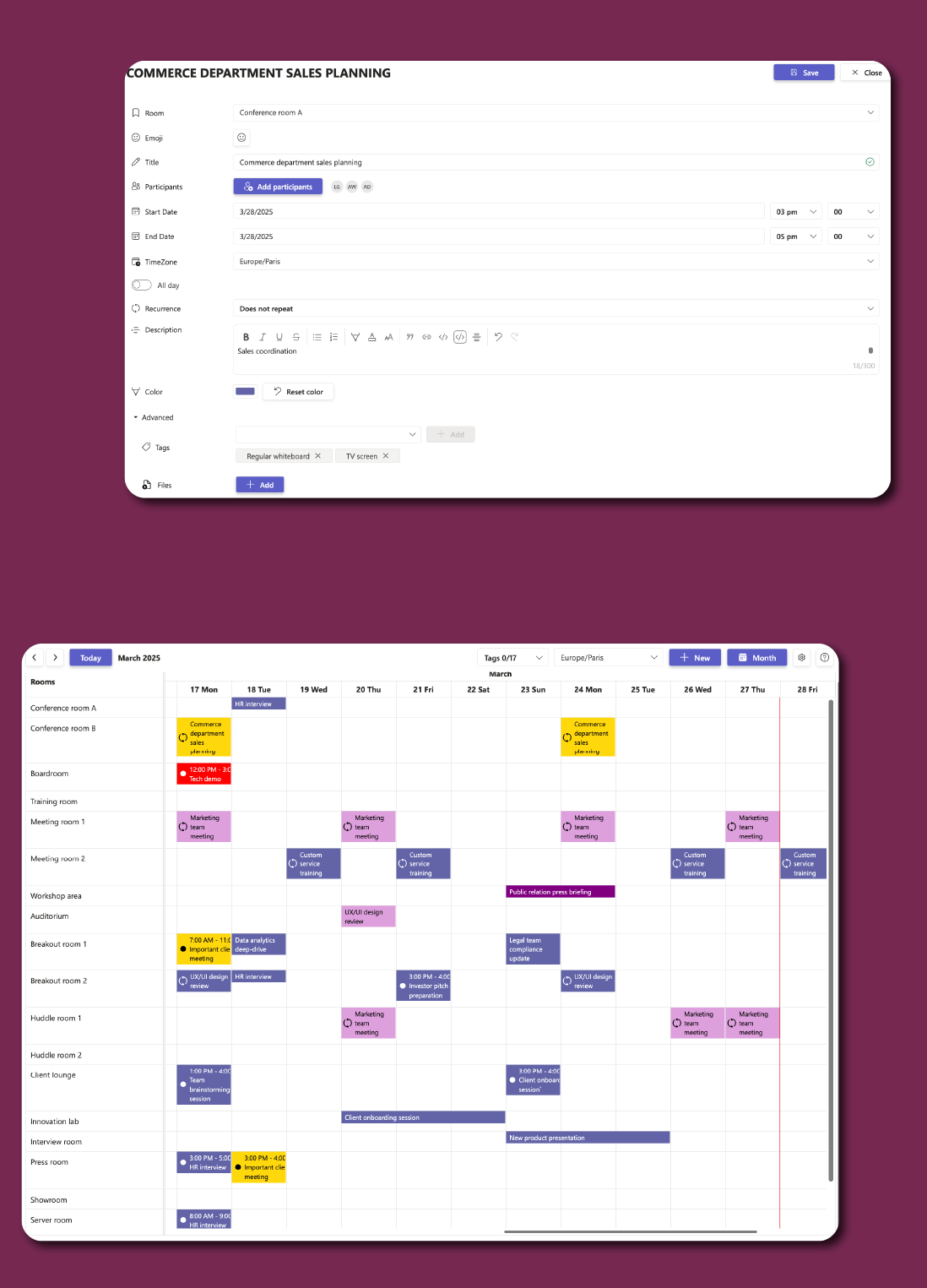
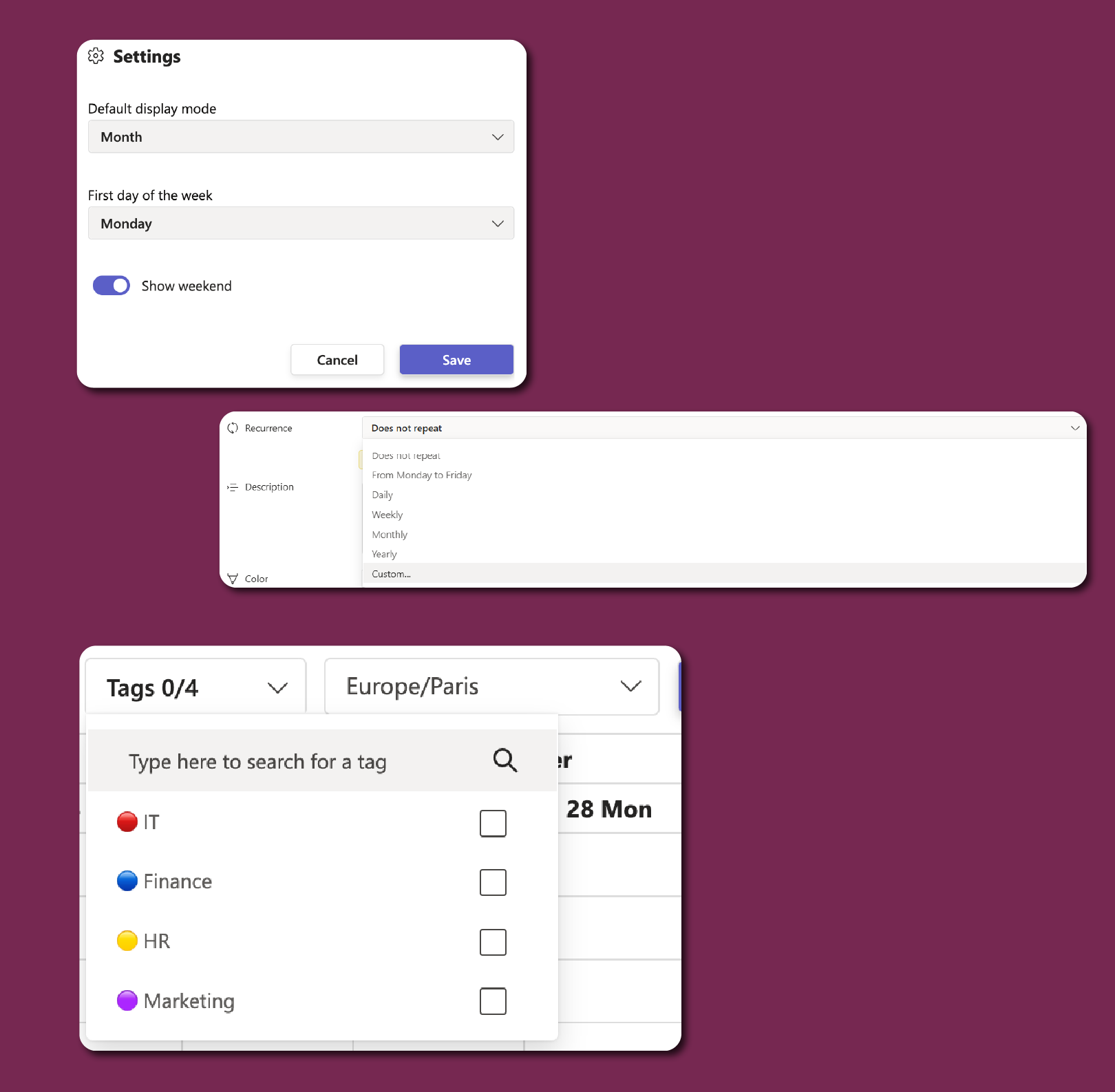
Flexible setup
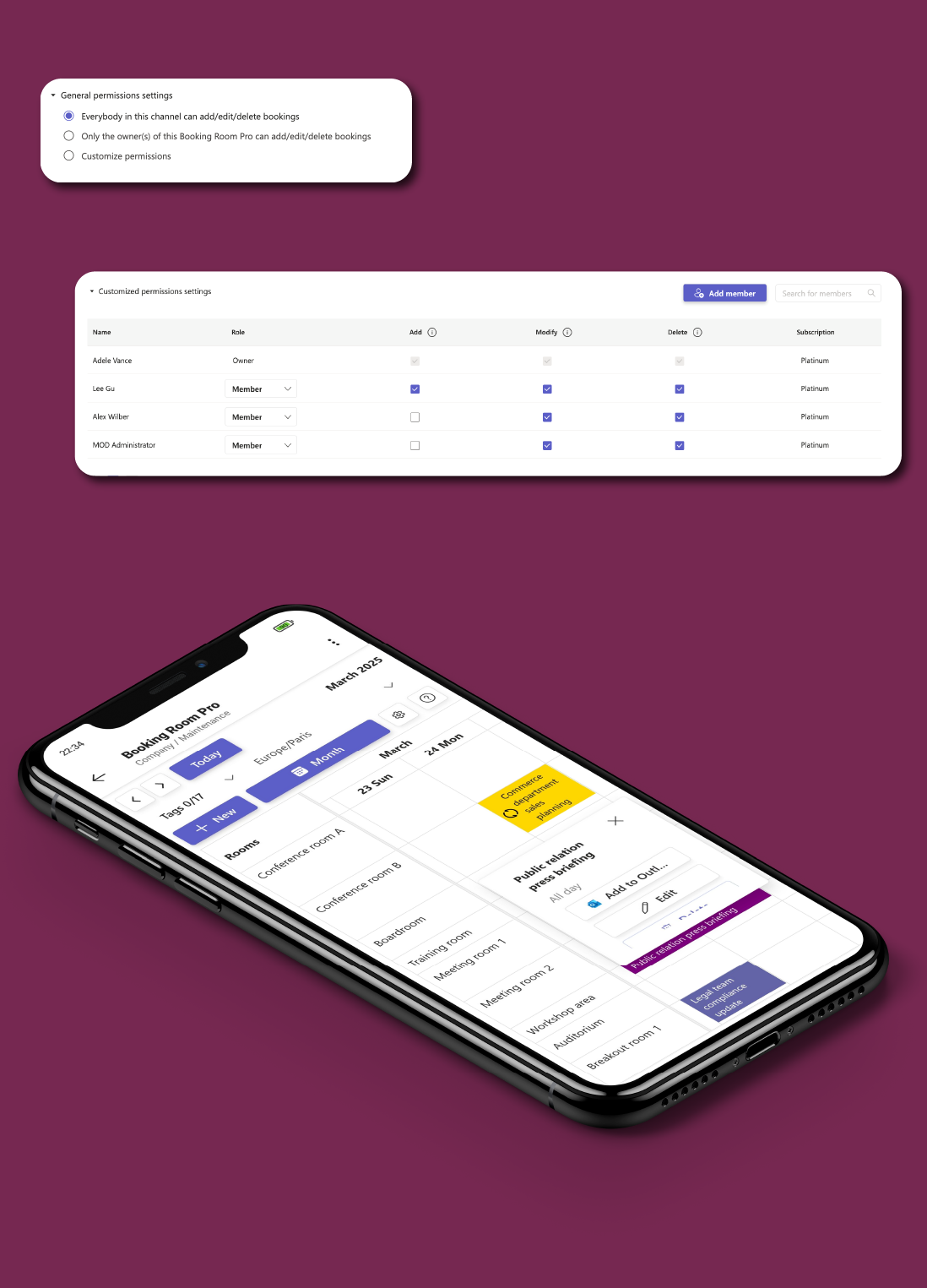
Access, your way
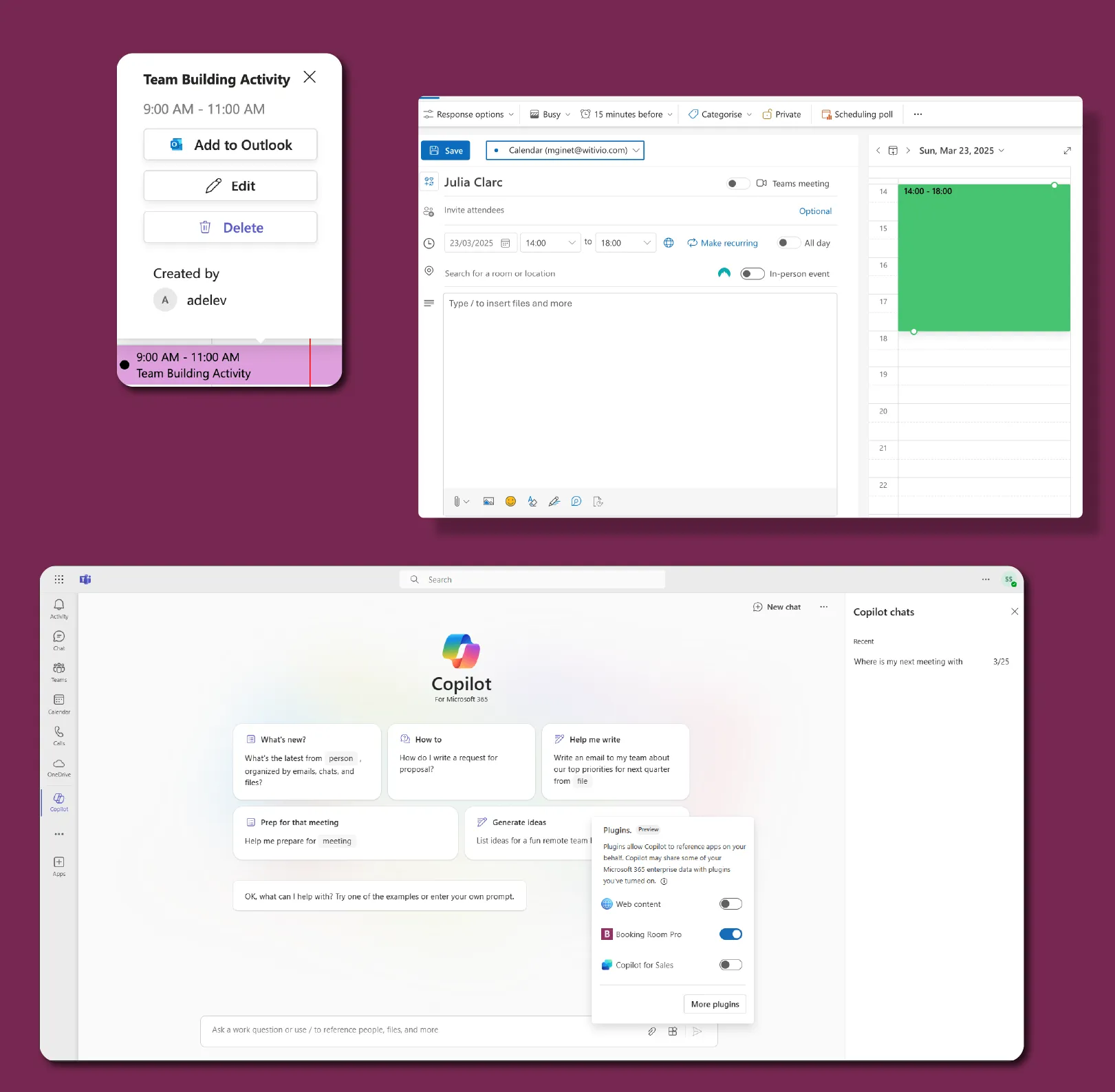
Built for Microsoft 365
Real-world use cases
From meeting rooms to media labs, Booking Room Pro keeps every space organized, so your team always knows what's free, what's booked, and what's next.
Keep up to 30 rooms or desks running smoothly, without spreadsheets or IT support.
Let coworkers and tenants book spaces with shared visibility. No overlap, no hassle.
Let students and staff book labs, art studios, or loanable gear like tablets and 3D printers.
Reserve exam rooms, surgical suites, or diagnostic tools, and make sure the right people have access at the right time.
Schedule events, meetings, or shared equipment for churches, nonprofits, and local centers.
Plan site visits, pickups, deliveries, or equipment swaps with clear visibility across every shift.
Enterprise-grade security on Microsoft Azure. Your data stays in your Microsoft 365 environment.
Enterprise-grade security on Microsoft Azure with ISO 27001 certification and 99.9% uptime.
EU-hosted infrastructure with full GDPR compliance. Your data stays in your region.
Microsoft Solutions Partner with deep integration into Microsoft 365 and Azure AD.
Use this simulator to calculate your team’s cost. When you’re ready, visit Microsoft Marketplace to complete your purchase.
Simulate your pricing
Seats
Basic
Premium
PopularPlatinum
Choose Premium if you manage multiple rooms and want more control - like unlimited bookings, advanced options, and a user-friendly way to schedule without diving into admin settings. Go with Platinum if you need advanced tools: custom permissions, multi-owner room management, and API access to connect with your other systems.
Core Features | |||
Rooms |
(limited to 3) |
(Unlimited) |
(Unlimited) |
Unlimited Single Bookings | |||
Color to bookings | |||
Teams notifications when adding, removing and updating bookings | |||
Show/Hide weekends | |||
Advanced booking options (frequency, tags, files and location. | |||
Print booking page | |||
Permissions and integrations | |||
Allow all users to add/edit/delete bookings | |||
Allow only the owner(s) to add/edit/delete bookings | |||
Messaging extension | |||
Manually add bookings to Outlook | |||
Customize permissions | |||
More than 1 Booking Room Pro owner | |||
Public API | |||
Data Management | |||
EU Data Residency | |||
GDPR Compliance | |||
Data Storage and Backup |
(Data is stored but recovery is not guaranteed) |
(Data is stored but recovery is paid) |
(Data storage and recovery are free) |
Data Retention Policy |
(Data retained for 1 year) |
(Data retained for 5 year) |
(Data retained indefinitely) |
Business Support | |||
Help Center Access | |||
Support Tickets and Live Chat | |||
Priority handling |
FAQ