




App

Calendar Pro: Shared Team Calendar for Microsoft Teams

Plan together, stay aligned. Calendar Pro brings shared schedules into Teams so you can sync events, track availability, and keep everyone in the loop, without switching tools.
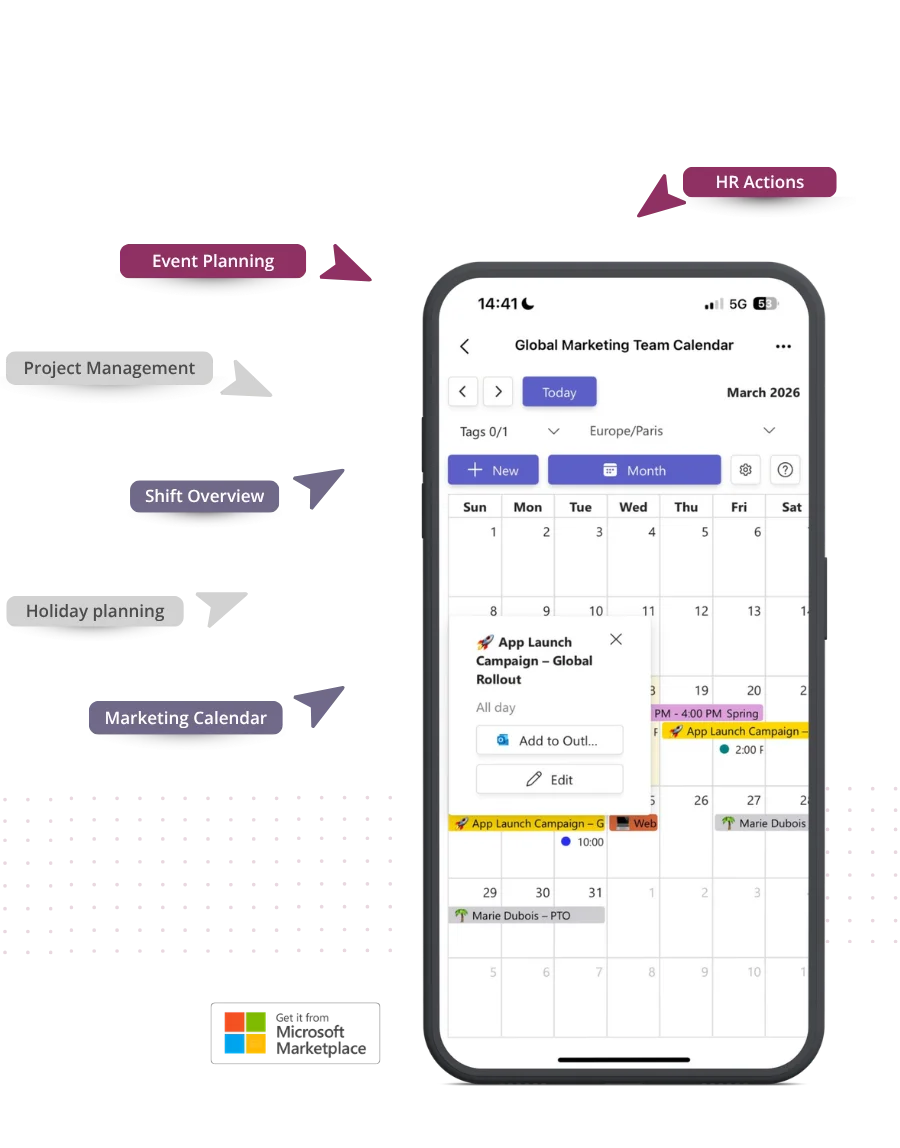
Calendar Pro shared calendar view in Microsoft Teams

How teams use Calendar Pro

Real teams. Real results.

From PTO to project timelines, here's how companies bring clarity to their calendars, all inside Microsoft Teams.

Presence & PTO

See who's in, out, and who's working remotely. All in one glance.

Marketing & Comms

Plan campaigns, content drops, and social posts. All in sync with your team.

Project Management

Set deadlines, assign tasks, and keep projects moving. Right from your shared calendar.

Ops & Logistics

Schedule shifts, plan deliveries, and track tasks so everyone stays aligned.

Outlook & Gmail sync
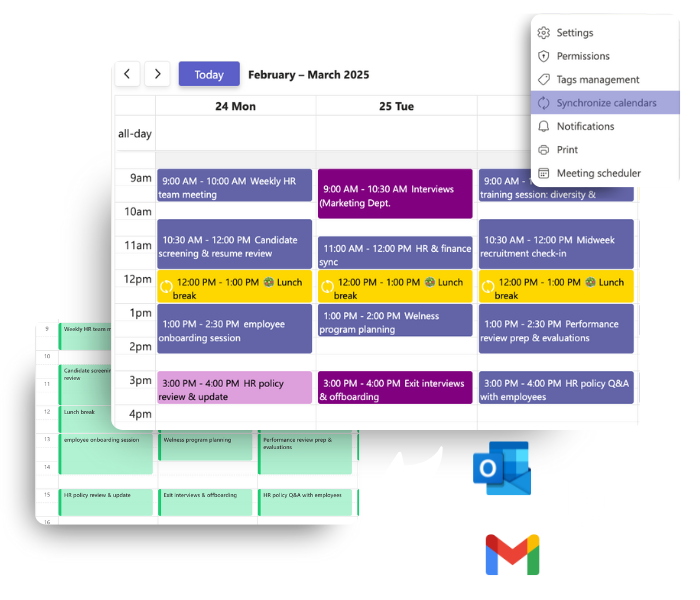
One calendar view across all your accounts

  • Connect Calendar Pro with Outlook, Gmail, or any .ics calendar. No switching tabs needed.
  • Two-way sync keeps everything in line. Update an event in one calendar, and it reflects everywhere.
  • View all your events in one place, from team meetings to personal appointments.
  • Each user can link up to 3 calendars and choose what stays private or visible to teammates.
Calendar Pro Outlook synchronization

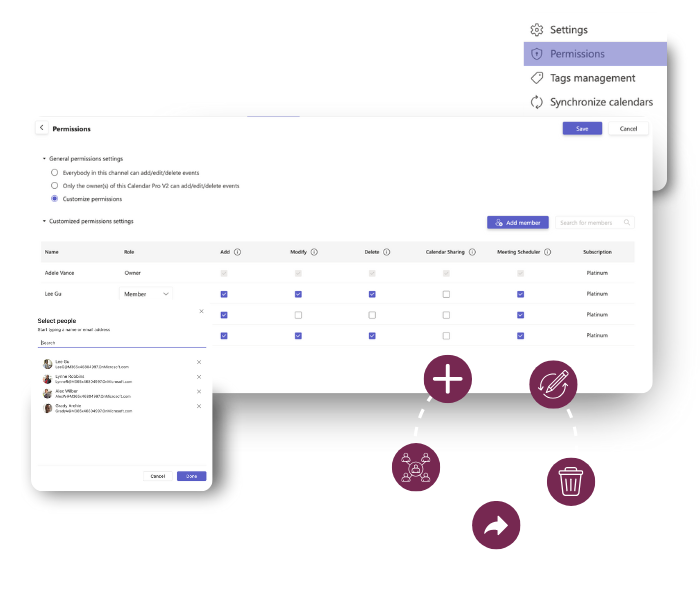
Permissions & Access

Full control over who sees what

  • Set view, edit, or admin roles per user so everyone gets the right access.
  • Choose whether events are visible to the whole team or just selected members.
  • Keep sensitive calendars private while sharing what matters.
Calendar Pro permissions and access control

Smart Scheduling

Create events in seconds, with all the details

  • Recurrent events: daily, weekly, monthly, or custom patterns.
  • Tag and color-code events for easy filtering and visual clarity.
  • Attach files, add notes, and set geolocation for each event.
  • Print and export your calendar whenever you need it.
Calendar Pro event creation

What users say

Trusted by teams worldwide

"Calendar Pro transformed our scheduling. We no longer need separate tools for team availability. Everything is in one place inside Teams."

Sarah K.

Office Manager, GlobalTech

"Perfect for tracking PTO and remote work. Our HR team loves using Calendar Pro to manage vacations and office attendance."

David Chen

HR Director, TechNova

"Makes project scheduling effortless. We manage multiple projects at the same time, and Calendar Pro keeps everyone aligned."

Maria Gonzalez

Operations Lead, BuildX Solutions

Security & Privacy

Your calendar data stays where it belongs

Enterprise-grade security on Microsoft Azure. Your data stays in your Microsoft 365 environment.

Azure-Hosted

Enterprise-grade security on Microsoft Azure with ISO 27001 certification and 99.9% uptime.

GDPR & ISO 27001

EU-hosted infrastructure with full GDPR compliance. Your data stays in your region.

Microsoft Partner

Microsoft Solutions Partner with deep integration into Microsoft 365 and Azure AD.

Pricing & Plans

Estimate your plan. Checkout happens on Microsoft Marketplace

Use this simulator to calculate your team’s cost. When you’re ready, visit Microsoft Marketplace to complete your purchase.

Simulate your pricing

Switch Billing Frequency

Basic

Free

Premium

Popular

Loading... user/month

Platinum

Loading... user/month

Not sure which plan to pick?

Go with Premium if you want flexible scheduling without full automation: for example, custom calendar views, detailed events, and live chat support. Choose Platinum if your team needs the works: automated scheduling, calendar syncing, permissions, and API access for serious integration power.

Witivio is a trusted Microsoft Partner

Available on Microsoft AppSource
Microsoft Partner of the Year
Microsoft IP Co-sell
Microsoft AI Cloud Partner
Microsoft MACC Eligible
Microsoft Azure Marketplace
Compare plans
Premium
Loading... user/month
Go to Admin Center
Platinum
Loading... user/month
Go to Admin Center

Core Features

Unlimited single events

Color to events

Clone calendar

Teams notifications when adding, removing and updating events

Personalize calendar view (business days and holidays)

Advanced events (frequency, tags, files and location)

Meeting scheduler

Permissions

Allow all users to add/edit/delete events

Allow only the owner(s) to add/edit/delete events

Customize permissions

More than 1 Calendar owner

Synchronization and integrations

Manually add Calendar Pro events to Outlook

Automatically synchronize with Outlook calendar

Automatically synchronize with Google calendar

Automatically synchronize with any .ics

Power Automate connector

Public API

Data Management

EU Data Residency

GDPR Compliance

Data Storage and Backup

(Data is stored but recovery is not guaranteed)
(Data is stored but recovery is paid)
(Data storage and recovery are free)

Data Retention Policy

(Data retained for 1 year)
(Data retained for 5 year)
(Data retained indefinitely)

Business Support

Help Center Access​

Support Tickets and Live Chat

Priority handling

FAQ

Frequently asked questions

What do you consider as license?
A software license or seat refers to the permission granted to use a software product, specifying the number of installations or users allowed. For all PRO Apps 1 license = 1 person = 1 Microsoft Teams user.
Do I have to purchase a license for every user?
You should purchase a license for each team member who wants to use the Premium or Platinum features. For example, for Calendar Pro, those team members, who create recurrent events, tags to filter events, use geolocation or printing need their own license. Those team members who just view existing Calendar Pro in read-only mode can use the app for free.
What is the difference between Calendar Pro Premium vs free?
Those team members, who create recurrent events, tags to filter events, use geolocation or printing need their own license. Those team members who just view existing Calendar Pro in read-only mode can use the app for free.
Do you offer educational or nonprofit plans?
While we would love to provide discounts or better prices to every deserving non-profit, it is with regret that, currently, we are unable to accommodate these requests. Please understand that this decision is not a reflection of the value we place on your organization's mission or the significance of your work.

Ready to simplify your team's scheduling?

Join 10,000+ organizations using Calendar Pro to stay aligned inside Microsoft Teams.