




Contacts Pro helps small teams, businesses, and organizations centralize their contacts in Microsoft Teams. No more spreadsheets, no more scattered info. Add, organize, and find contacts in seconds.

How Contacts Pro helps you
Contacts Pro keeps your team's contact list organized, up to date, and right inside Microsoft Teams. No more digging through inboxes or asking around.
Search by name, title, company, or team, then reach out in Teams, email, or calendar with one click.
Keep shared contact data safe and accessible, even if someone leaves the company, the info stays with the team.
Just install, add your contacts to a shared tab, and your whole team is ready. No extra steps, no IT support needed.
Simple contact sharing
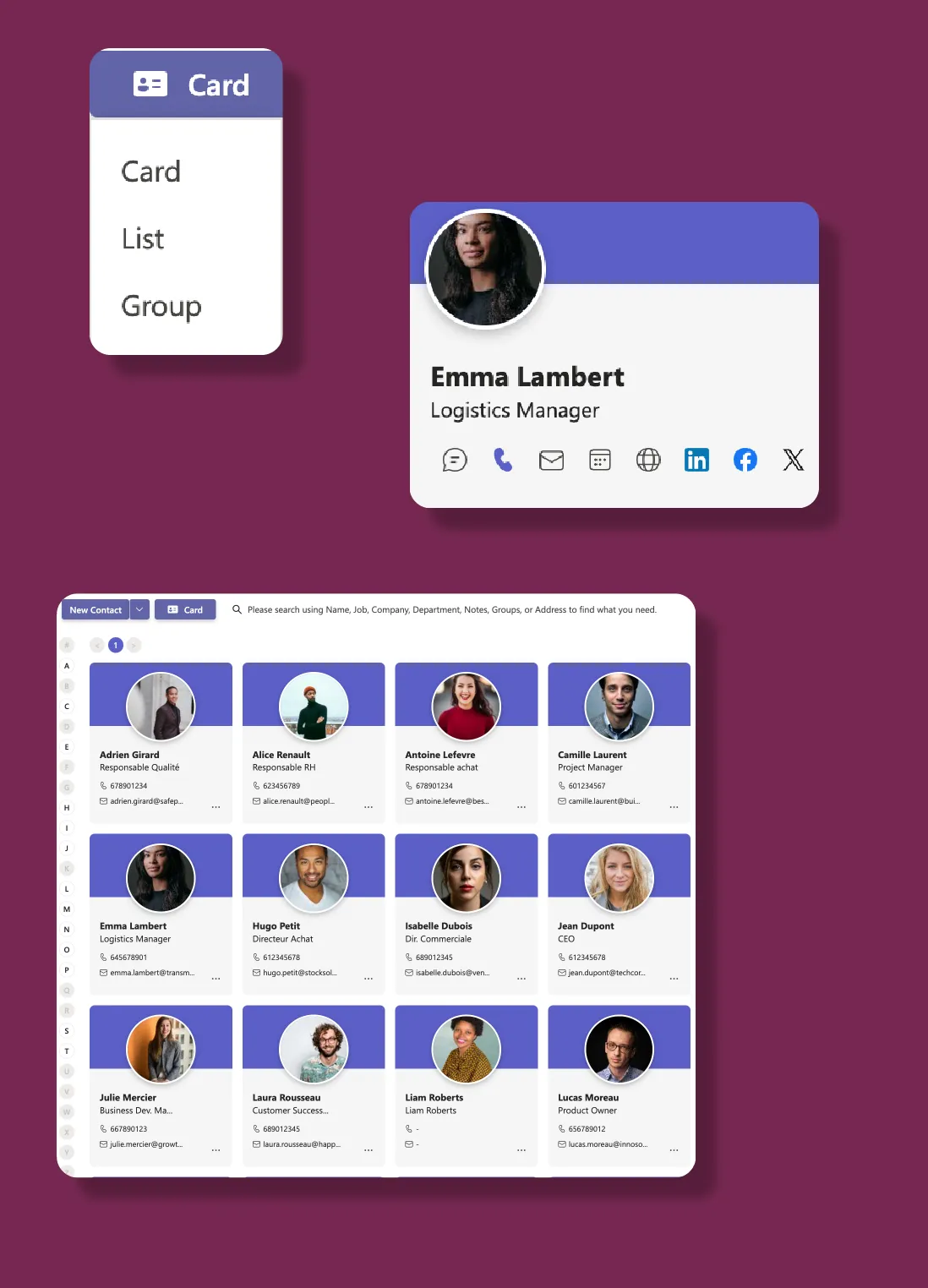
Smart contact organization
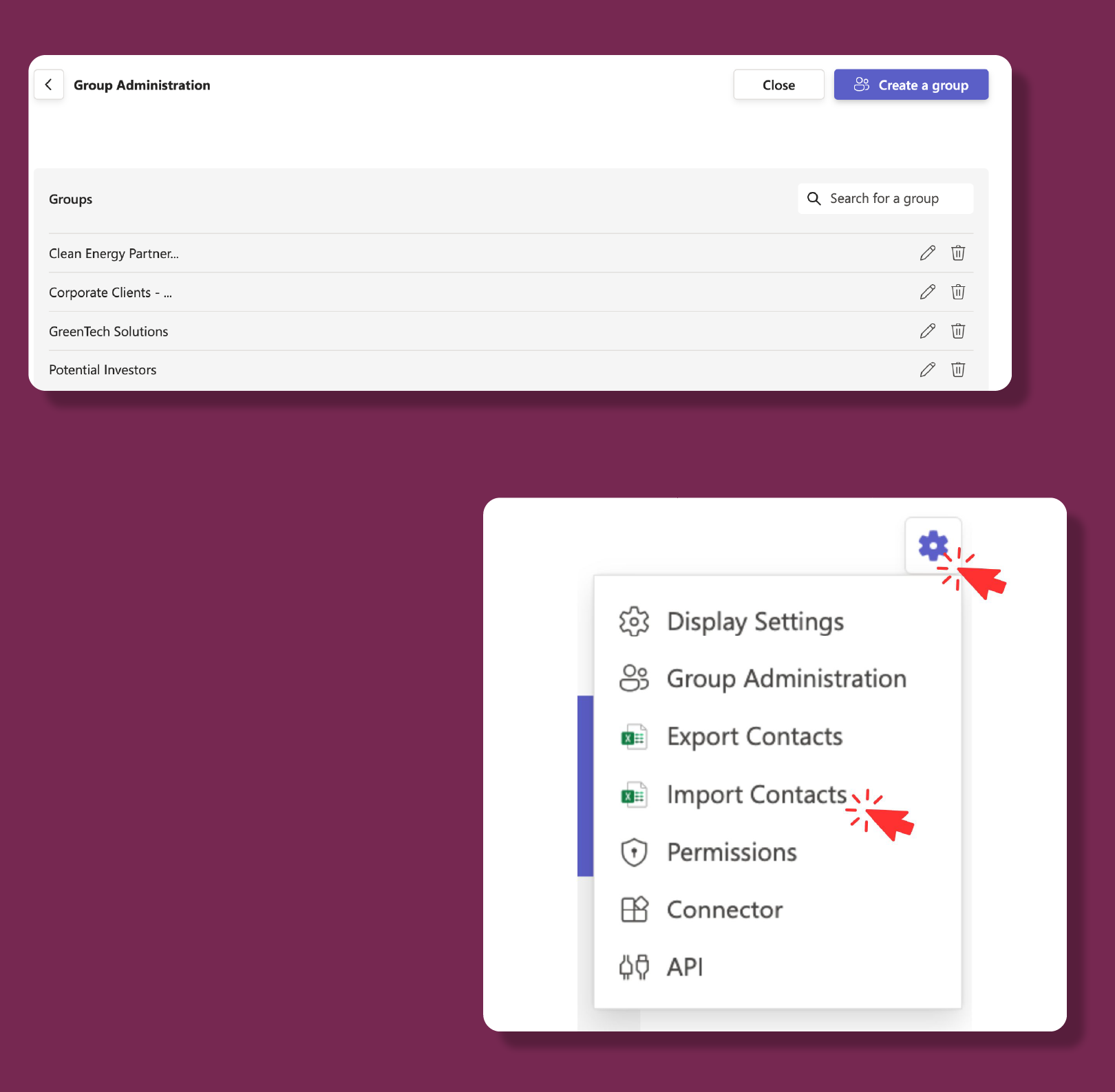
Team permissions
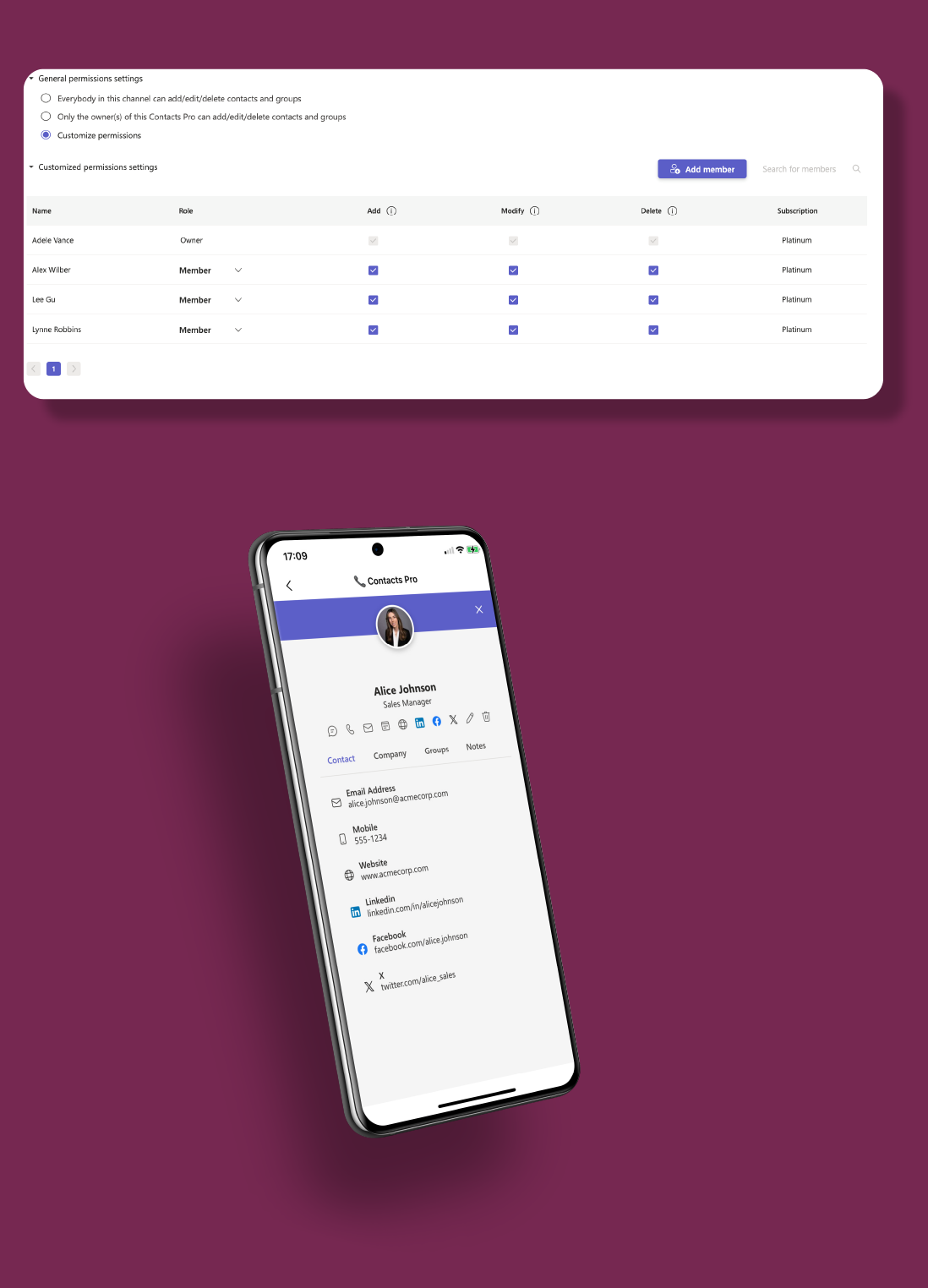
Seamless integrations

Popular scenarios
From small businesses to global teams, Contacts Pro helps you organize contact info in one shared space.
Replace messy spreadsheets with a shared contact tab for clients, partners, and vendors.
Keep essential contact details ready for fast, personalized service.
Share regional contact lists across offices, departments, or countries.
Manage volunteer, donor, and partner contacts in one place, even as teams grow or change roles.
Create shared directories and new hire lists to help employees connect from day one.
Centralize support contacts, vendors, and internal resources, with permissions that scale.
Enterprise-grade security on Microsoft Azure. Your data stays in your Microsoft 365 environment.
Enterprise-grade security on Microsoft Azure with ISO 27001 certification and 99.9% uptime.
EU-hosted infrastructure with full GDPR compliance. Your data stays in your region.
Microsoft Solutions Partner with deep integration into Microsoft 365 and Azure AD.
Use this simulator to calculate your team’s cost. When you’re ready, visit Microsoft Marketplace to complete your purchase.
Simulate your pricing
Seats
Basic
Premium
PopularPlatinum
Go with Premium if you’re growing your contact list and need essentials like up to 1,000 contacts, easy exports, secure sharing, and live chat support. Choose Platinum if you need more - unlimited contacts, custom permissions, shared tab ownership, and API access to power advanced workflows across your org.
Core Features | |||
Number of contacts |
(100) |
(1000) |
(Unlimited) |
Number of groups | |||
Personalize Contacts Pro view | |||
Permissions | |||
All users can add/edit/delete contacts | |||
Only owner(s) can add/edit/delete contacts | |||
Customize permissions | |||
Multiple tab owners | |||
Import/Export and Integrations | |||
Map Pro synchronization | |||
Import contacts from .xlsx | |||
Export contacts to .xlsx | |||
Power Automate connector | |||
Public API | |||
Data Management | |||
EU Data Residency | |||
GDPR Compliance | |||
Data Storage and Backup |
(Data is stored but recovery is not guaranteed) |
(Data is stored but recovery is paid) |
(Data storage and recovery are free) |
Data Retention Policy |
(Data retained for 1 year) |
(Data retained for 5 year) |
(Data retained indefinitely) |
Business Support | |||
Help Center Access | |||
Support Tickets and Live Chat | |||
Priority handling |
FAQ