App

KeePass Pro: Secure Password Manager for Microsoft Teams

KeePass Pro stores your encrypted kdbx vault right in your SharePoint or OneDrive, so you stay in control, always. Built on trusted open-source tech, it's a shared password manager that keeps credentials in your work environment.
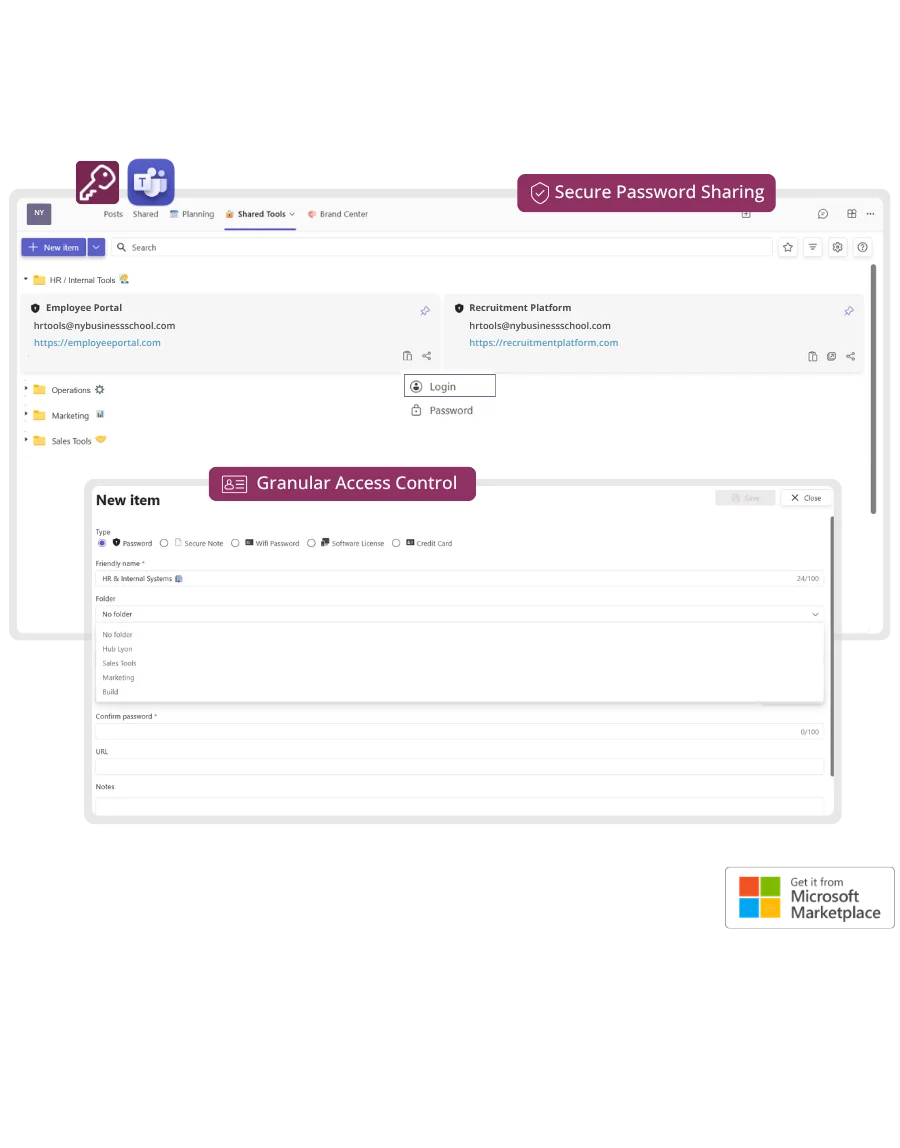
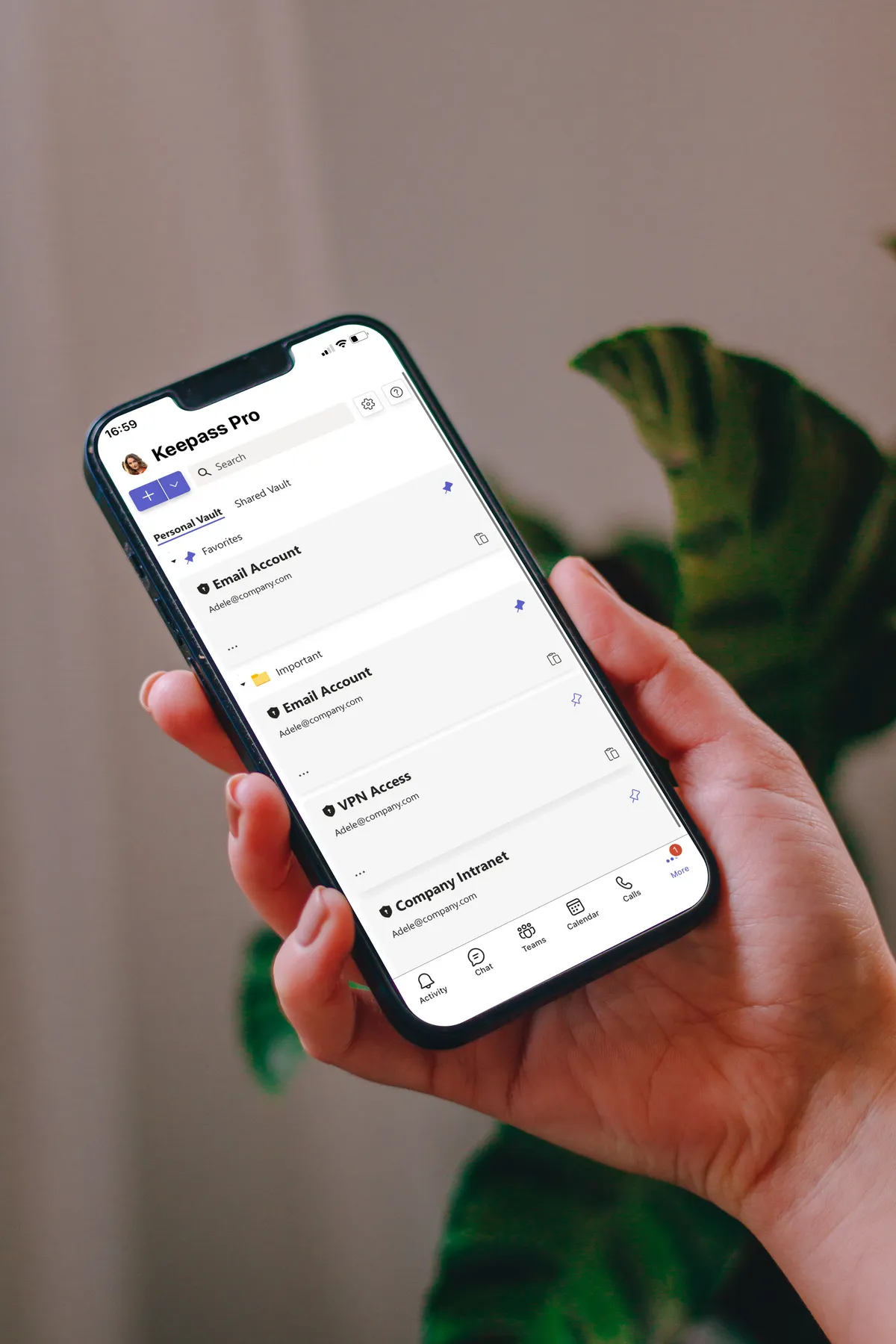
KeePass Pro secure password vault in Microsoft Teams

Why teams choose KeePass Pro

Own your data. Share with confidence.

KeePass Pro keeps work credentials where they belong: in your hands, on your turf, inside Teams. No vendor lock-in. No scattered passwords.

Data ownership

Your vault lives in SharePoint or OneDrive. No third-party storage. Full control from day one.

Open-source core

Built on KeePass. Trusted, transparent, and independent. No reliance on closed systems.

Secure sharing

Keep credentials in the Teams workspace, not scattered across personal tools.

Vault essentials

Everything you need, right in Teams

  • Store your kdbx file in SharePoint or OneDrive. Encrypted, secure, and under your control.
  • Save secure notes, addresses, payment info, and more. All encrypted and accessible in Teams.
  • Keep your vault tidy with folders that make finding passwords fast and intuitive.
  • Mark your most-used entries as favorites for instant access.
KeePass Pro encrypted vault in Teams

Smart sharing

Share with security

  • Securely share individual passwords or notes with trusted teammates inside Teams.
  • Assign co-owners to any vault to ensure smooth collaboration and access continuity.
  • Fine-tune who can view, edit, or manage specific entries or folders within your vault.
KeePass Pro secure sharing features

Personal & shared vaults

Your passwords, your way

  • Pin KeePass Pro to your sidebar to manage a personal password vault stored in your OneDrive. Just for you.
  • Add KeePass Pro as a tab in any channel to create a shared vault for your team. Credentials are saved in SharePoint.
  • Shared vaults added in channels are automatically accessible from your personal app, so everything stays in one secure place.
KeePass Pro personal and shared vaults
Security & Privacy

Your passwords stay where they belong

Enterprise-grade security on Microsoft Azure. Your vault stays in your Microsoft 365 environment.

Azure-Hosted

Enterprise-grade security on Microsoft Azure with ISO 27001 certification and 99.9% uptime.

GDPR & ISO 27001

EU-hosted infrastructure with full GDPR compliance. Your data stays in your region.

Microsoft Partner

Microsoft Solutions Partner with deep integration into Microsoft 365 and Azure AD.

Pricing & Plans

Estimate your plan. Checkout happens on Microsoft Marketplace

Use this simulator to calculate your team’s cost. When you’re ready, visit Microsoft Marketplace to complete your purchase.

Simulate your pricing

Switch Billing Frequency

Basic

Free

Premium

Popular

Loading... user/month

Platinum

Loading... user/month

Not sure which plan to pick?

Go with Premium if you need unlimited passwords and notes, easy sharing, and recovery tools - without diving into folder setups or complex permissions. Pick Platinum if your team needs more control: shared vault ownership, custom folder permissions, and fine-tuned roles to meet your security and compliance needs.

Witivio is a trusted Microsoft Partner

Available on Microsoft AppSource
Microsoft Partner of the Year
Microsoft IP Co-sell
Microsoft AI Cloud Partner
Microsoft MACC Eligible
Microsoft Azure Marketplace
Compare plans
Premium
Loading... user/month
Go to Admin Center
Platinum
Loading... user/month
Go to Admin Center

Core Features

Number of Passwords

(Limited to 3)
(Unlimited)
(Unlimited)

Device Type

Secure password vault in SharePoint

One to one sharing

Unlimited Secure notes

Pin favorites

Vault Activity Logs

Recycle bin

Folders

Permissions

Allow all users to add/edit/delete passwords

Allow only the owner(s) to add/edit/delete passwords

Customize permissions:

More than 1 vault owner

Customized Folder permissions

Business Support

Help Center Access

Support Tickets and Live Chat

Priority handling

FAQ

Frequently asked questions

What is KeePass Pro?
KeePass Pro is an application for Microsoft Teams developed by Witivio. It lets you securely store, organize, and share passwords with your team — directly inside Microsoft Teams.
How do I install KeePass Pro?
KeePass Pro is available on the Microsoft Teams Store and Microsoft AppSource. Simply search for 'KeePass Pro' in the Teams app catalog, click Install, and add it to any channel or as a personal app.

Ready to secure your team's passwords?

Join 10,000+ organizations using KeePass Pro to share credentials safely inside Microsoft Teams.